ZeroCAD is a parametric 3D CAD program for mechanical parts. It is built on its own exact geometry kernel (B-rep), written entirely in Rust, renders on the GPU and runs on Windows.
Status, November 2026: ZeroCAD isn't out yet. A small tester round comes first. No date yet.
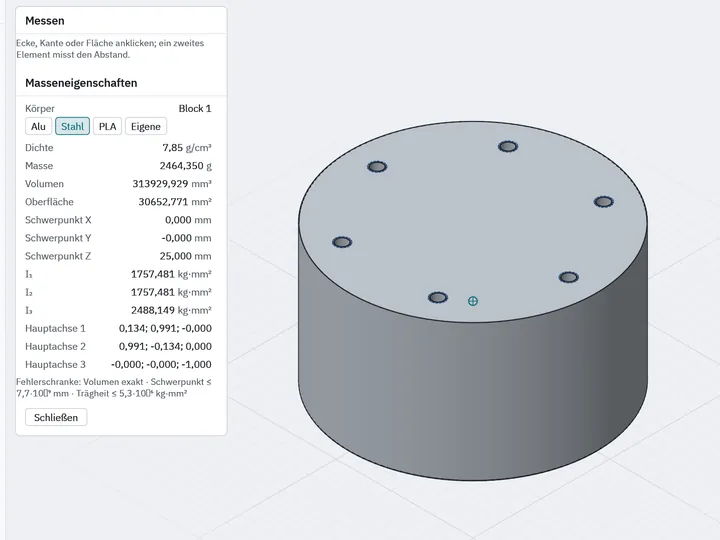
The reference part of the development in section: a Ø 90 mm spacer with six M5 holes.
At a glance
Type
Parametric 3D CAD for mechanical parts, assemblies and drawings
Geometry kernel
Own B-rep kernel in Rust; exact geometry, not triangle meshes
Platform
Windows; GPU rendering (DirectX 12, Vulkan)
Formats
STEP AP242/AP214, STL, 3MF, PDF, DXF
Interface
English and German
Network
Works offline, no account, no telemetry
Developer
Restframe Software, Andreas Kern
Its own geometry kernel
Every CAD program sits on a geometry kernel: the part that describes solids exactly, cuts and fillets them, and exchanges them as files. Many programs license an existing kernel. ZeroCAD does not. The kernel is the point of the project.
Valid solids
Solids are boundary representations (B-rep, half-edge structure) and pass a validity check after every operation: closed shell, consistent orientation, Euler–Poincaré formula.
Exact surfaces
Surfaces are exact: plane, cylinder, cone, sphere, torus and NURBS. Volume and area are computed on this geometry, not on the display mesh.
One central tolerance
All comparisons go through one central tolerance of 10−7 mm; orientation tests use robust adaptive-precision predicates after Shewchuk.
Accuracy before performance
Whatever is measured, saved or exported is exact or stays within a measured error bound. Only the display may approximate.
Who ZeroCAD is for
Makers and 3D printing
Parts that fit, and STL or 3MF files that keep their stated mesh accuracy.
Sim racing rig builders
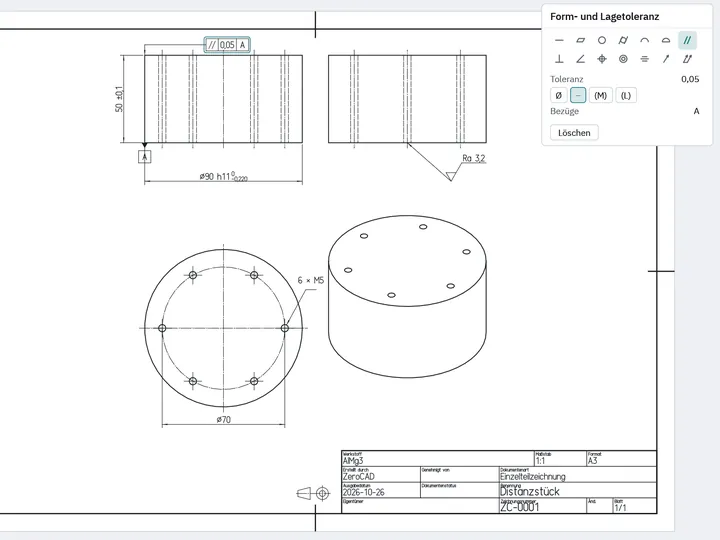
Spacers, adapter plates, mounts and button boxes. The reference part during development is a wheel spacer: cylinder Ø 90 mm, 50 mm long, six M5 holes on a Ø 70 mm bolt circle.
Engineers and manufacturers
Clean STEP files and measurements with a stated accuracy.
Features
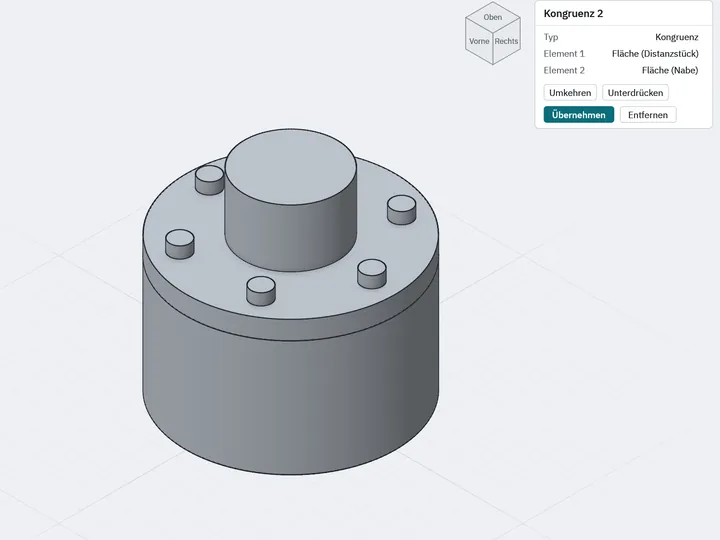
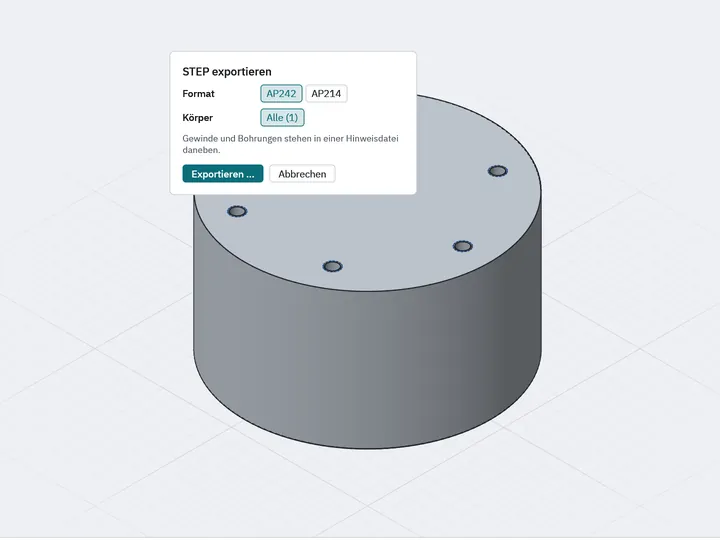
Everything listed here is built and tested. The screenshots show the German user interface.
Sketches and parameters
An in-house sketch solver (Newton's method with sparse matrices) with distance, radius, parallel, perpendicular, tangent, horizontal, vertical, fixed, symmetric and equal constraints. Sketches are coloured by remaining degrees of freedom; conflicts are named, never silently dropped.
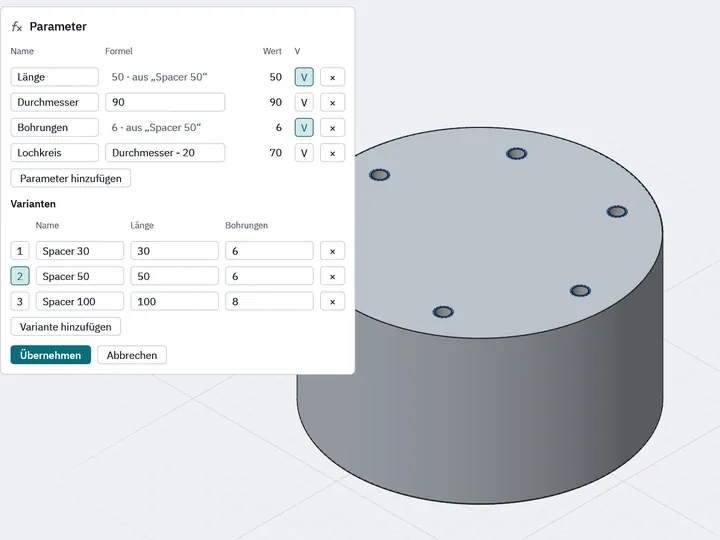
Lengths and angles can be typed while drawing. Points snap to existing bodies and follow them when the body changes. Parameters accept formulas, and a variant table generates several sizes from one model.
Solids, fillets, chamfers
Pad, pocket, revolve, groove, sweep, loft, rib, slot, mirror, linear and polar patterns, shell, draft, thicken and Boolean operations. ISO holes with countersinks, drill points and cosmetic threads.
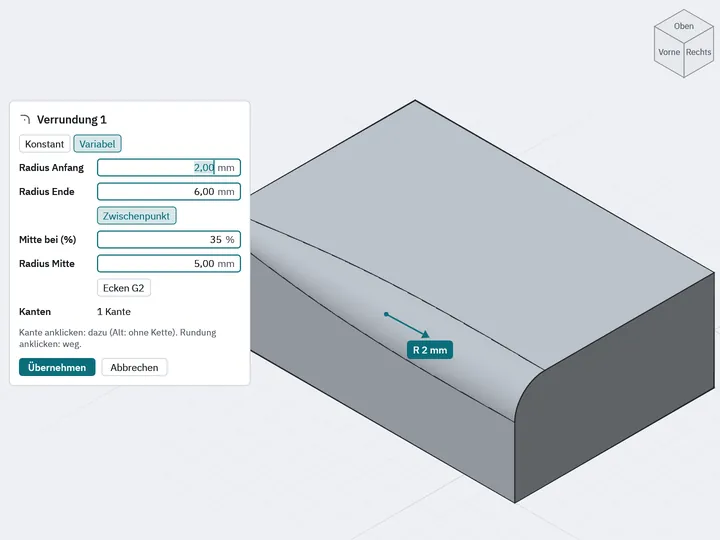
Fillets roll a ball along arbitrary faces, including variable radii and corners where two to six edges meet. Curvature-continuous (G2) fillets are available as an option.
Surfaces and analysis
NURBS surfaces from boundary curves, curve networks and points, fill surfaces and blends up to curvature continuity (G2), plus extend, trim, sew and thicken. The continuity actually reached is measured and shown.
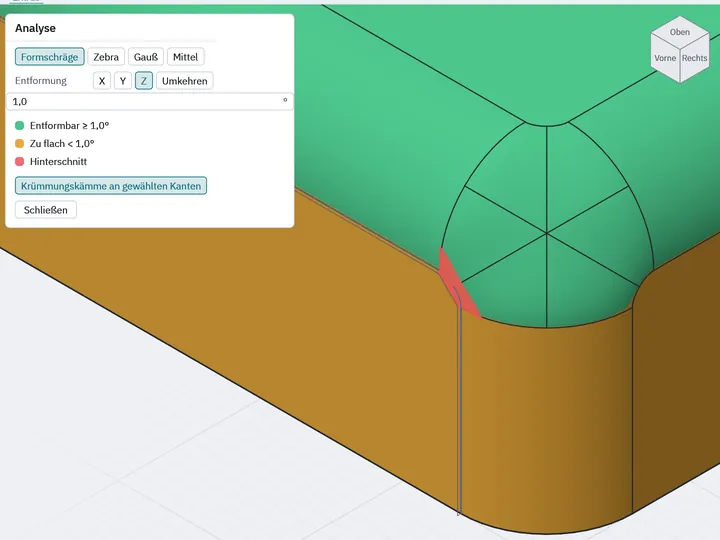
For checking: draft, zebra and curvature analysis and curvature combs on edges. One known limit: at convex corners between G2 fillets, ZeroCAD currently falls back to tangent-continuous (G1) corners and says so.
Measuring
Distance, angle, radius, edge length and area are measured exactly on the geometry. Mass properties with material: volume, surface area, mass, centre of mass, inertia tensor and principal axes, each with its error bound shown.
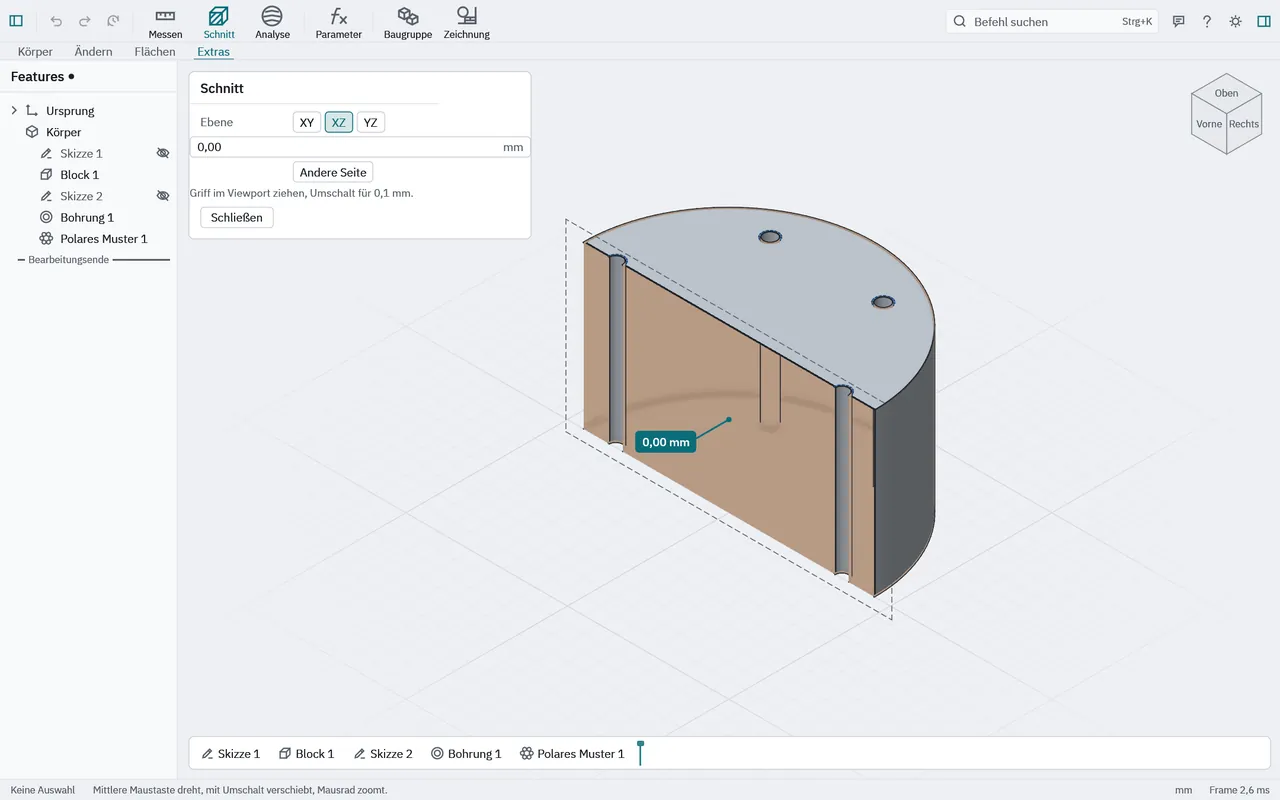
The section view fills the cut face and shows voids inside the body.
Assemblies
Parts and instances, defined once and placed any number of times, nested sub-assemblies and references to other projects. A constraint solver for coincidence, contact, distance, angle and fixed shows the remaining degrees of freedom per part.
Also a bill of materials with mass properties, exact collision checks on the geometry and an exploded view. Large assemblies are drawn on the GPU with instancing and levels of detail.
Drawings
Views from the 3D model with exactly computed hidden lines, sections and detail views. Associative dimensions with tolerances and ISO fits, geometric tolerances per ISO 1101, title block per ISO 7200, bill of materials and balloons.
Export to vector PDF and to DXF (R2000).
Data exchange
STEP AP242 with assemblies, colours, names and material; AP214 selectable, AP203 and AP214 readable. On import, faces are sewn within the file's tolerance and anything unsupported is listed in a report.
STL and 3MF for 3D printing with selectable chord and angle error; the bound is measured and kept. Files can be dropped onto the window.
File format and workflow
A project is a folder with one readable JSON file per feature. The same model produces byte-identical files, and a changed dimension changes exactly one line, so projects can be versioned with git.
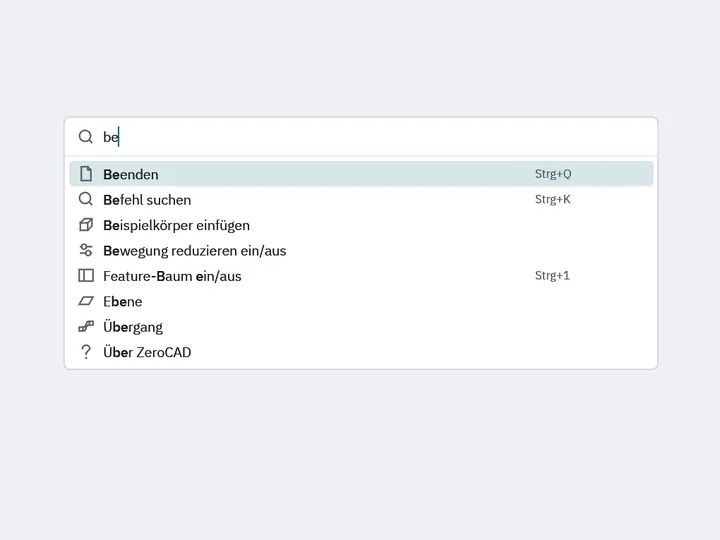
Autosave with recovery, a command palette (Ctrl+K), a feature tree that allows reordering and explains when it doesn't, and error messages that name the reason and the place.
Benchmarks
Speed is an acceptance criterion. Every number comes from a benchmark that runs at each milestone.
Benchmark run of 28 October 2026
Measurement
Result
Start until the window is usable
393.8 ms
Viewport with 1 million triangles, time per frame
2.38 ms
Assembly with 100,000 instances, time per frame
3.93 ms
Part with 200 features, first dimension changed
48.4 ms
Open a part with 200 features
75.3 ms
Rebuild the filleted spacer
15.7 ms
Drawing view with hidden lines
13.0–22.7 ms
STEP import of a T-piece
98.0 ms
Source: ZeroCAD development log, criterion benchmarks on a release build. Machine: AMD Ryzen 7 3700X, NVIDIA GeForce RTX 3060 Ti, Windows 11. Results on other machines will differ.
On accuracy: the STEP export of the spacer opens in FreeCAD, and its volume matches the analytically computed value within 0.1 %. That is one of the project's three acceptance criteria; the other two are the spacer being modelable and the time budget being met.
Frequently asked questions
What is ZeroCAD?
ZeroCAD is a parametric 3D CAD program for mechanical parts with its own exact geometry kernel (B-rep), written in Rust. It is developed by Restframe Software.
Can I download ZeroCAD?
No. ZeroCAD isn't out yet. A small tester round comes first. No date yet.
How much does ZeroCAD cost?
There is no information on pricing yet.
Which operating systems does ZeroCAD run on?
Windows only for now. Rendering runs on the GPU via DirectX 12, with Vulkan as a fallback.
Which file formats does ZeroCAD support?
STEP AP242 and AP214 (read and write), AP203 (read); STL and 3MF (write, and read as mesh bodies); drawings export to PDF and DXF. Native projects are folders with one JSON file per feature.
Does ZeroCAD use a third-party geometry kernel?
No. Off-the-shelf kernels such as Open CASCADE are explicitly excluded. Topology, geometry, Boolean operations, fillets and STEP exchange are all part of ZeroCAD's own kernel.
Does ZeroCAD need an internet connection or an account?
No. ZeroCAD works offline and without an account, and there is no telemetry. Only actions the user triggers go online: sending feedback, a crash report after consent, and an update check that can be turned off, each only to ZeroCAD's own server.